
Check builder evidence, not AI-written text
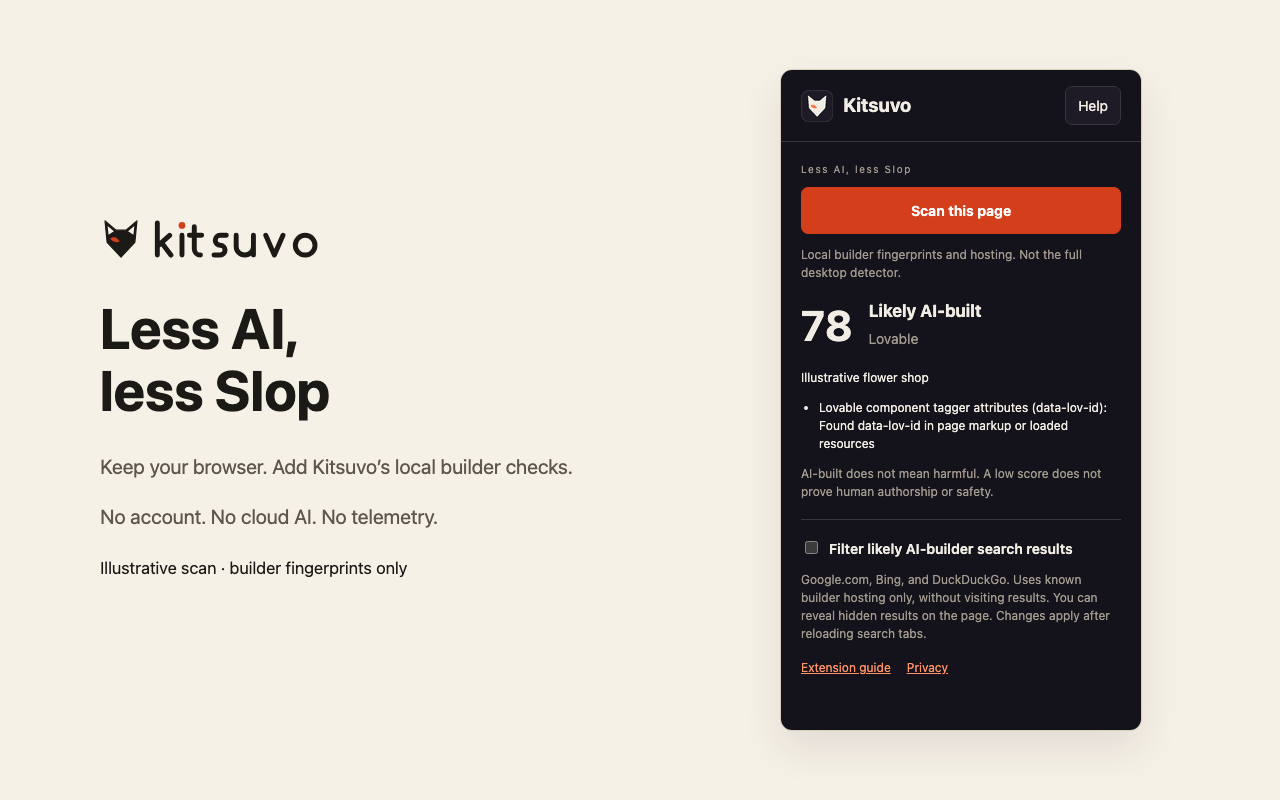
Open Kitsuvo in your toolbar and choose Scan this page. See known builder fingerprints, generator tags, hosting clues, and traditional-CMS counter-signals. Checks stay in your browser; the extension does not score whether page text or images were generated by AI.
Enable the optional search filter to hide results on known AI-builder hosting in Google.com, Bing, and DuckDuckGo. Results are not opened in the background. Use Show hidden results whenever you want to see them.
AI-built does not mean harmful. A low score does not prove human authorship or safety. The extension is focused on builder evidence; the desktop browser also has broader detection, slop and impersonation checks, and page blocking.
Comparing approaches? Read our guide to AI website detector tools.
Choose your test package
Developer preview, version 0.1.1. These are source/upload archives. They are not store-approved installs. Public store listings and Safari signing are pending publisher registration, per-browser qualification, and review.
Chrome, Edge, Opera, Brave, Vivaldi
One package for browsers built on Chromium.
- Extract the ZIP to a folder you will keep. The extension runs from that folder.
- Open your browser’s extensions page:
chrome://extensions,edge://extensions,opera://extensions,brave://extensionsorvivaldi://extensions. - Turn on Developer mode, choose Load unpacked, and select the extracted folder.
- Pin Kitsuvo from the extensions menu, open a normal website, and choose Scan this page.
Store listing: not published yet.
Firefox
Manifest V3 package targeting Firefox 142 or newer.
- Extract the ZIP to a folder.
- Open
about:debugging#/runtime/this-firefox. - Choose Load Temporary Add-on and select
manifest.jsonin the extracted folder. - Firefox removes temporary add-ons when it closes, so repeat these steps next session. A permanent install needs Mozilla signing, which is pending.
Store listing: not published yet.
Safari
Web-extension sources prepared for Apple’s packaging flow.
This ZIP does not install directly in Safari. It needs Apple’s Safari Extension Packager or Xcode and a signed containing app. If you mainly use Safari, the desktop Kitsuvo browser is the simpler route.
Store listing: not published yet.
Chrome runtime, popup behavior, permissions, and local detector fixtures are checked in development. Other browsers still need runtime qualification before store submission. Extension support on mobile browsers varies, so install on a desktop browser.
Store listings and updates
This page links to a browser store only after that store lists the extension. There is no Chrome Web Store, Edge Add-ons, Firefox Add-ons, Opera Add-ons or Safari listing yet, so the packages above are the install path today.
- Star or watch the integrations repository on GitHub (Watch, then Custom, then Releases). Extension previews are published there.
- Atom feed of changes to the extension previews and plugins, for any feed reader.
- Email us to be told when it reaches a store. This opens your email app. There is no sign-up form on this site.
Set up without a surprise
- Install the test package using the steps for your browser above.
- Open a normal website, then Kitsuvo → Scan this page.
- Search filtering is off until you enable it and grant supported-search-site access.
The popup’s Help button replays the optional guide. Sign-in provider pages, pages with password fields, and private tabs are skipped. Browser settings and protected store pages cannot be scanned.
Privacy by default
No telemetry, history collection, cookie access, remote code, or cloud requests. Only the search-filter setting and guide version are saved locally. No page reports are stored. Read the extension privacy policy.
Use Kitsuvo with your AI tools
The desktop browser also has an MCP server and plugins for Claude Code and ChatGPT/Codex, available as plugin packages with browser automation and evidence-review skills. Those are separate from this extension. Downloadable local installation is available; public AI marketplace approval is pending. Download the plugin ZIP.